
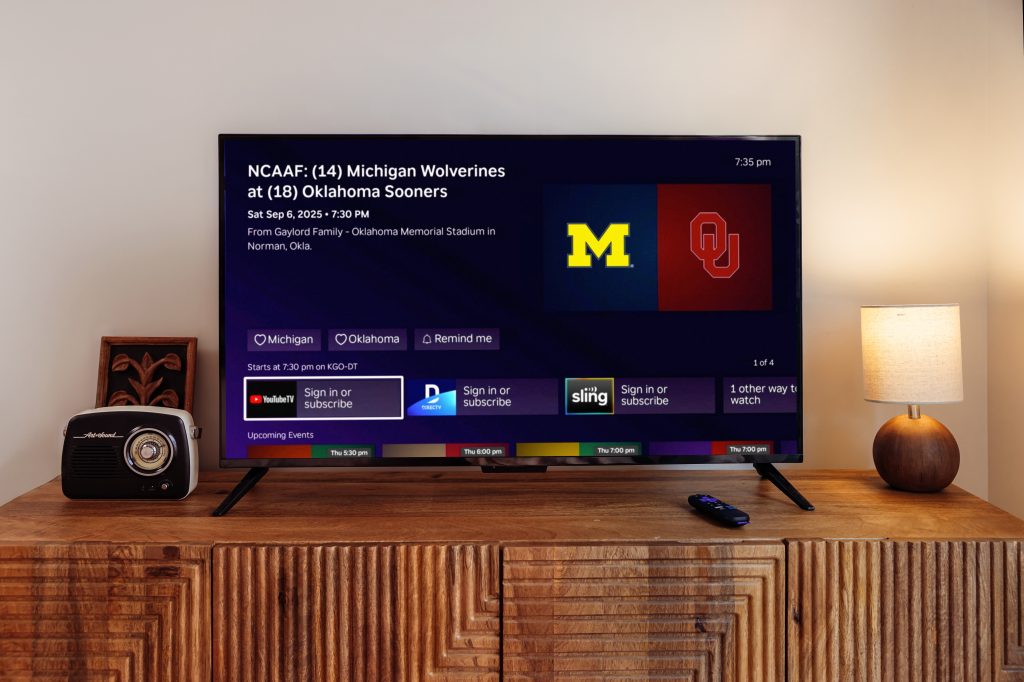
Paramount+ has emerged as a significant player in the streaming landscape, offering a diverse content library that includes live television and sports—a combination that sets it apart from many competitors. For Roku users, accessing this content is streamlined through the dedicated Paramount+ channel. This comprehensive guide explores everything you need to know about watching live TV and sports on Paramount+ via your Roku device, covering setup, content offerings, features, and troubleshooting.
Getting Started: Installation and Setup
Before diving into live content, you’ll need to set up Paramount+ on your Roku device:
- Installation: From your Roku home screen, navigate to the Roku Channel Store. Search for “Paramount+” and select “Add Channel.” The app is free to install, though you’ll need a subscription to access content.
- Subscription Tiers: Paramount+ offers two main subscription plans:
- Essential: Includes limited commercials, on-demand content, and some live sports (though with restrictions on local CBS live streaming).
- Premium: Includes commercial-free on-demand content (except live TV and a few shows), live CBS affiliate streaming in most markets, and expanded sports coverage.
- Account Setup: After installing, launch the Paramount+ channel and either sign in with your existing account or follow the prompts to subscribe directly through Roku.
You May Also Like- Sling : Start Streaming Today with This Simple Login Guide Visit : Sling.com/samsung
Live TV on Paramount+ via Roku
Paramount+ provides access to live television through several avenues:
Local CBS Affiliate Streaming
For Premium subscribers, one of the most significant features is access to live streaming of your local CBS station. This means you can watch local news, primetime programming, late-night shows, and CBS specials as they air. The availability depends on your geographic location and whether Paramount+ has secured streaming rights for your local affiliate.
How it works on Roku:
- Navigate to the “Live” section of the Paramount+ channel
- Select “CBS” from the channel lineup
- The stream should automatically detect your location and provide your local CBS feed
- A channel guide shows what’s currently airing and upcoming programming
Additional Live Channels
Beyond CBS, Paramount+ offers several live streaming channels:
- ET Live: 24/7 entertainment news
- CBS News: Continuous national news coverage
- CBS Sports HQ: Sports news and analysis
- MTV Live: Music and pop culture content
- Nick Jr.: Children’s programming
These channels are available to all subscribers and function similarly to traditional cable channels, with scheduled programming throughout the day.
Sports Content on Paramount+ via Roku
Sports represent a major pillar of Paramount+’s live offering. The platform has positioned itself as a destination for sports fans through various partnerships and rights acquisitions.
NFL on Paramount+
- Sunday AFC Games: As part of CBS’s broadcast rights, Paramount+ Premium subscribers can stream most Sunday AFC games that air on their local CBS station.
- NFL Playoffs: Select playoff games broadcast on CBS are available for streaming.
- Super Bowl: When the Super Bowl airs on CBS, Paramount+ Premium subscribers can stream it live.
Soccer Coverage
Paramount+ has become a premier destination for soccer fans in the United States:
- UEFA Champions League: All matches live and on-demand
- UEFA Europa League: Comprehensive coverage
- NWSL: National Women’s Soccer League matches
- Serie A: Italy’s top soccer league
- Copa América: When aired on CBS platforms
- CONCACAF: Various international competitions
College Sports
- NCAA Men’s Basketball Tournament: March Madness games broadcast on CBS
- SEC Football: Select games broadcast on CBS
- Other NCAA Sports: Various regular season games across sports
Other Sports
- The Masters Golf Tournament
- PGA Championship
- UEFA Europa Conference League
- International Champions Cup
- Bellator MMA
- Professional Bull Riders (PBR)
- CBS Sports documentaries and original programming
Navigation and User Experience on Roku
The Paramount+ interface on Roku is designed to help users quickly find live content:
Home Screen Layout
- The main homepage typically highlights featured content, including live events
- A “Live TV” row often appears showing currently airing programs
- Sports content is usually prominently displayed, especially during major events
Accessing Live Content
- Dedicated Live Section: Scroll to the left navigation menu and select “Live TV” to see all available live channels and their current programming.
- Sports Hub: The “Sports” section organizes live and upcoming sporting events by category.
- Search Functionality: Use Roku’s search capability to find specific teams, leagues, or events.
Channel Guide
The live TV section includes an electronic program guide (EPG) showing:
- Current and upcoming programs across all live channels
- Start times and brief descriptions
- Sports match details including teams and competition stage
You May Also Like- Peacock : Start Streaming Today with This Simple Login Guide Visit : Paramountplus.com/roku
Features Enhancing the Live Viewing Experience
Cloud DVR for Live TV
While Paramount+ doesn’t offer traditional DVR functionality for all content, some live events (particularly sports) are available for replay shortly after they conclude. Premium subscribers can typically access full event replays for major sports within hours of the live broadcast.
Multi-View (Limited Availability)
For select major events like the NFL playoffs or March Madness, Paramount+ occasionally offers multi-view functionality, allowing viewers to watch multiple games simultaneously. However, this feature’s availability on Roku may vary based on device capability and event.
Adaptive Streaming Quality
Paramount+ automatically adjusts streaming quality based on your internet connection, with support for up to 4K resolution for select live events (though most live content streams at 1080p or 720p).
Closed Captioning and Audio Description
Live content on Paramount+ via Roku includes accessibility features like closed captioning, with adjustable size and style in the settings menu.
Device Compatibility and Requirements
Not all Roku devices support Paramount+ equally:
- Minimum Requirements: Roku OS 9.1 or higher for most features
- Recommended Devices: Roku Streaming Stick+, Roku Ultra, Roku TV models from 2018 or later for optimal performance
- Internet Speed: Minimum 3 Mbps for standard definition, 8+ Mbps for HD, 25+ Mbps for 4K content
Geographic Limitations and Blackouts
A crucial consideration for sports fans is geographic restrictions:
- Local CBS Affiliates: Only available in designated market areas where Paramount+ has streaming agreements
- Sports Blackouts: Certain sporting events may be subject to local blackout restrictions, particularly for in-market games available through other broadcasters
- Regional Sports Networks: Paramount+ does not generally include regional sports networks (like Bally Sports) that carry local MLB, NBA, or NHL games
Comparing Live Sports Offerings
While Paramount+ offers substantial sports content, it’s important to understand what it doesn’t include:
- No ESPN/ABC sports: No access to Monday Night Football, NBA on ABC, or college football playoffs
- Limited regional sports: Unlike some competitors, Paramount+ doesn’t bundle regional sports networks
- No NBC Sports: Sunday Night Football, Premier League (which has moved to Peacock), or Olympics coverage
For comprehensive sports coverage, many viewers combine Paramount+ with other services like ESPN+, Peacock, or dedicated sports streaming services.
You May Also Like- Peacock : Start Streaming Today with This Simple Login Guide Visit : Peacocktv.com tv/samsung
Tips for Optimal Viewing Experience
- Internet Connection: For live sports, a stable, high-speed connection is crucial. Wired Ethernet connections generally provide more stability than Wi-Fi for Roku devices that support it.
- Time Zone Considerations: Live events are broadcast according to Eastern Time, with scheduling adjusted for your local time zone when available.
- Event Reminders: Use the “Add to My List” function for upcoming games to receive notifications when they’re about to start.
- Alternative Access: For major events experiencing high traffic, consider using the CBS Sports app (with Paramount+ authentication) as an alternative streaming option.
Troubleshooting Common Issues
Buffering During Live Events:
- Check internet speed (press Home 5 times, then Rewind 3 times, then Fast Forward 2 times on Roku remote to see secret diagnostics screen)
- Close other apps on Roku to free up memory
- Reduce streaming quality in Paramount+ settings during high-traffic events
“Content Not Available in Your Region” Error:
- Verify your Paramount+ account has your correct location
- Check if you’re using a VPN, which may conflict with geographic restrictions
- Confirm your Roku device location settings are accurate
Authorization Problems:
- Sign out and back into the Paramount+ channel
- Remove and re-add the Paramount+ channel to Roku
- Verify your subscription status on the Paramount+ website
Audio/Video Sync Issues:
- Restart the Roku device
- Check for Roku system updates
- Try a different HDMI port on your television
Future Developments and Trends
Paramount+ continues to evolve its live offerings:
- Expanded 4K HDR: More live sports events are expected to stream in 4K with HDR
- Interactive Features: Potential integration of stats, alternative commentary, and betting information (where legal)
- Bundle Options: Paramount+ is increasingly bundled with other services like Showtime, and may integrate more deeply with other ViacomCBS properties
- International Expansion: As Paramount+ grows globally, international sports rights may become available to domestic subscribers
You May Also Like- Peacock : Start Streaming Today with This Simple Login Guide Visit : Peacocktv.com/tv
Conclusion
Paramount+ on Roku provides a robust platform for accessing live TV and sports content, particularly for fans of soccer, NFL football, and CBS programming. The integration is generally seamless, with a user-friendly interface that makes finding and watching live events straightforward. While the service doesn’t match the comprehensive sports offerings of dedicated sports streaming services or cable replacements like YouTube TV, it represents excellent value for subscribers already interested in Paramount+’s on-demand library.
The live sports offering is particularly strong for international soccer, positioning Paramount+ as a must-have for Champions League and Serie A fans. Combined with live CBS access for Premium subscribers, the service creates a compelling package for cord-cutters who still want access to broadcast television and specific sports content.
As the streaming landscape continues to evolve, Paramount+ is likely to expand both its live TV and sports offerings, potentially making it an even more significant player in the live streaming space. For Roku users, the app provides a stable, feature-rich way to access this content directly through their television, without needing additional hardware or complex setup procedures.