
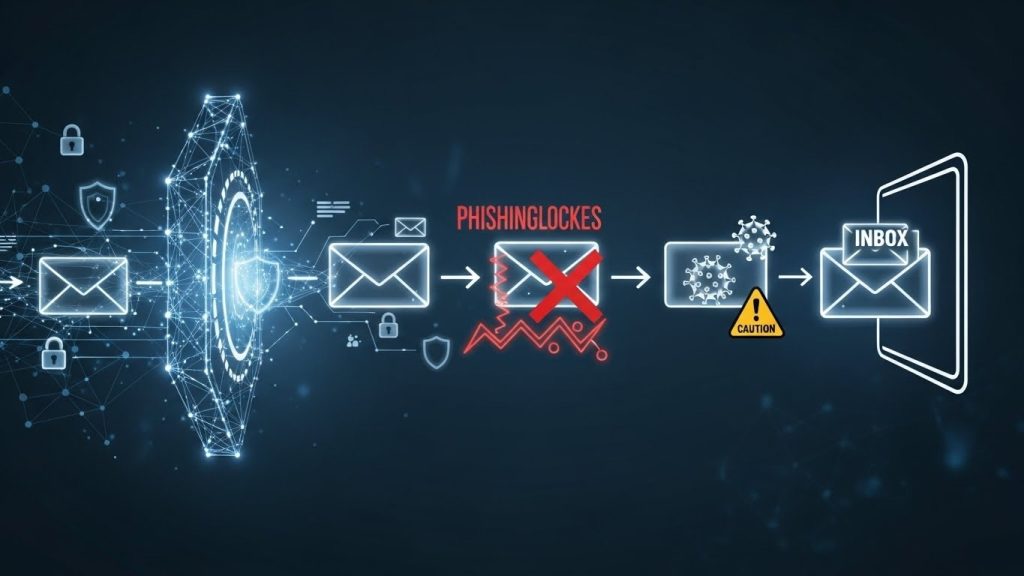
Email is still the #1 doorway attackers try first. An email security gateway (ESG) sits between the internet and your mailbox to filter threats before they reach users. Instead of relying only on inbox rules and user caution, an ESG applies consistent checks for phishing, malware, impersonation, and risky links—then quarantines, rewrites, or blocks what doesn’t pass.
What an Email Security Gateway Actually Does
Think of an ESG as a security checkpoint for mail traffic. It inspects inbound and outbound messages, scores risk, and enforces policies. The goal is to stop common attack paths early—malicious links, weaponized attachments, spoofed senders, and credential-harvesting emails—so fewer threats ever land in an inbox.
Most gateways also add visibility. Admins can see what’s being targeted, which users are most attacked, and what controls are catching the threats. That’s important because email security isn’t only “block and move on.” It’s also “detect patterns and reduce repeat risk.”
The Main Attacks It’s Built to Stop
An ESG is designed around the threats that show up daily:
- Phishing and credential theft: fake login pages, invoice scams, urgent “password reset” emails.
- Business Email Compromise (BEC): impersonation of executives, vendors, or finance contacts.
- Malware delivery: attachments or links that drop payloads after the click.
- Spoofing and domain abuse: emails pretending to come from your domain or trusted brands.
- Data loss risks: sensitive files or info leaving the company via email.
How It Stops Threats: The Core Controls
Most ESGs combine multiple layers, because no single signal is enough.
1) Sender identity checks (SPF, DKIM, DMARC)
Gateways validate whether a sender is allowed to send “as” a domain. This helps block spoofing and reduces the success rate of brand-impersonation attacks. DMARC policies also help you enforce what should happen to failures—reject, quarantine, or monitor.
2) Content scanning + threat scoring
The gateway analyzes message content for phishing patterns: urgent language, suspicious formatting, lookalike domains, unusual sending behavior, and known bad indicators. It can quarantine borderline messages instead of delivering them.
3) URL rewriting and time-of-click protection
A common trick is sending a “clean” link that becomes malicious later. Many gateways rewrite links so clicks route through a security check at click time. If the destination is later flagged, the click gets blocked.
4) Attachment inspection and sandboxing
Gateways scan attachments and may detonate them in a sandbox to see what they do. This catches malware that looks harmless at first glance, especially in documents that trigger scripts or exploits.
5) Impersonation and BEC defenses
BEC often uses no malware—just persuasion. ESGs look for display-name spoofing, domain lookalikes, reply-to tricks, and unusual sender patterns (like a vendor suddenly changing bank details). Some also enforce banners or warnings for external senders.
Where the Gateway “Sits” in Your Email Flow
There are two common deployment models:
- MX record / mail routing: email flows through the gateway before it reaches your mail system.
- API-based integration: the gateway connects to your cloud mailbox (like Microsoft 365 or Google Workspace) and analyzes messages via APIs.
Routing gives very strong control at the edge. API integration can be simpler to deploy in cloud environments and can still provide strong filtering—especially when paired with mailbox security settings.
What to Look For in a Real-World Email Security Gateway
A solid ESG isn’t just “spam filtering.” You want a platform that covers the full lifecycle:
- Inbound protection (phishing, malware, BEC)
- URL and attachment defenses that work at click/open time
- Strong logging, search, and easy quarantine workflows
- Policy control (who can receive what, external sender warnings, risky attachment rules)
- Outbound protection (data loss rules, accidental leakage, spoofing prevention)
- Continuity options (so email still works during outages)
If you want a practical example of how a leading gateway works in plain English, this breakdown of mimecast email security is a useful reference point for what these platforms typically do and how the layers fit together.
Best Practices That Make the Gateway Actually Effective
An ESG works best when the policies match real behavior:
- Start strict on high-risk file types and loosen only when business needs demand it.
- Use DMARC gradually (monitor → quarantine → reject) to avoid blocking legit senders.
- Add a clear exception process so teams don’t bypass controls out of frustration.
- Tune BEC rules for finance and executives because they’re the main targets.
- Review quarantines and reports weekly to spot new attack patterns early.
Common Mistakes Small Businesses Make
- Turning on “allow images/links” style exceptions too broadly.
- Whitelisting entire domains after one false positive.
- Skipping DMARC because it feels “too complex,” then getting spoofed later.
- Treating user training as a replacement for filtering (it’s not).
- Not monitoring logs—so attacks repeat quietly until something slips through.
Quick Checklist: “Are We Covered?”
If you can answer “yes” to most of these, you’re in good shape:
- We block spoofed senders with SPF/DKIM/DMARC enforcement.
- We have URL protection that checks links at click time.
- Attachments are scanned and risky types are restricted.
- BEC/impersonation protections are enabled for finance workflows.
- Quarantine is reviewed, and policies are tuned monthly.
- Outbound rules reduce accidental data leakage.
Conclusion
Email security gateways reduce risk by stopping threats before they reach inboxes—phishing, malware, spoofing, and impersonation. The best results come from layered controls (identity checks, link and attachment protection, BEC defenses) plus ongoing tuning and monitoring. When the gateway is configured with real workflows in mind, it cuts successful attacks dramatically without slowing the business down.