
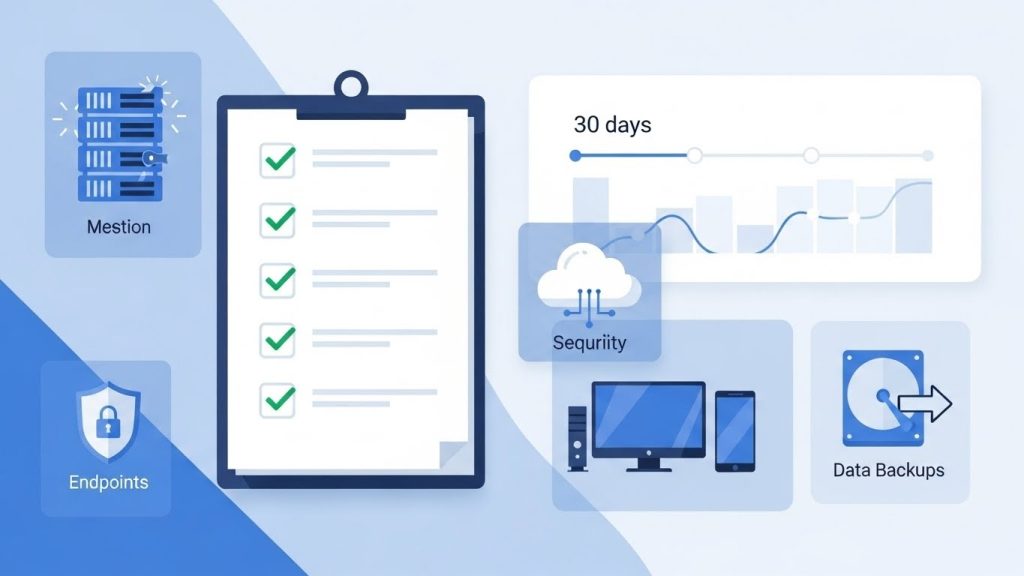
An IT assessment is easiest when you run it like a 30-day sprint. You gather facts, find risks, and turn gaps into a ranked plan. This checklist breaks the work into clear day ranges. It helps you avoid “random auditing” and missed systems. Most teams start faster once everyone agrees what an IT assessment includes, and what outcomes it should produce. Then you follow the steps below and document everything as you go.
Days 1 – 3: Define Scope, Success Criteria, and “What Good Looks Like”
Start by defining what you are assessing and why. List the locations, users, and systems in scope. Decide if you cover on-prem, cloud, or both. Clarify business goals like uptime, security, or compliance. Write success criteria that you can measure. Examples include patch compliance targets and backup restore targets. Identify critical workflows and owners. Capture pain points from leadership and frontline users. Agree on what is out of scope to prevent distractions. Set a communication plan and a weekly update cadence. Finally, define the deliverables. Include a risk register, quick wins, and a 90-day roadmap.
Days 4 – 7: Build the Baseline Inventory
Now build a baseline inventory you can trust. Start with endpoints, servers, and network gear. Include cloud tenants, SaaS tools, and storage platforms. List business-critical applications and where they run. Capture license counts and renewal dates. Inventory user accounts and admin accounts across systems. Document vendors and who to contact for support. Add ISP details, circuit IDs, and IP ranges. Record warranty status and hardware age. Include security tools, backup tools, and monitoring tools. The goal is one “single source of truth” list. Without it, you will miss systems and misjudge risk. Keep the inventory in a shared document with clear owners.
Days 8 – 12: Access & Identity Review
Access control failures cause most business incidents. Start by mapping where identities live. Include Microsoft 365, Google, VPN, firewalls, and key SaaS apps. Find admin sprawl and shared logins. Review how new users are onboarded. Review how users are offboarded and how fast access is removed. Check password policies and session settings. Identify missing MFA and weak recovery methods. Confirm which systems support conditional access. Review service accounts and API keys. Look for stale accounts and orphaned mailboxes. Document gaps and assign risk levels. Then define quick fixes you can apply immediately. Prioritize anything that blocks easy takeover.
Privileged Access Checklist
List every admin role and who holds it. Remove admin rights from daily user accounts. Replace shared admin logins with named accounts. Review service accounts and rotate their credentials. Disable unused local admin accounts on endpoints. Restrict admin access by device and location. Enforce least privilege across SaaS apps. Document who approves new admin access. Turn on logging for admin actions. Store emergency “break glass” access securely.
MFA + Recovery Checklist
Verify MFA is enabled on every critical system. Require phishing-resistant MFA where possible. Block SMS MFA for admins when better options exist. Audit recovery email and phone numbers for tampering. Require strong account recovery policies. Enable number matching or similar protections in prompts. Confirm users can enroll a second factor. Create an MFA exception process with approvals. Test a real account recovery flow safely. Document gaps and fix the highest risk systems first.
Days 13 – 18: Endpoint, Patch, and Vulnerability Posture
Now assess what attackers can hit today. Review every endpoint type in use. Include laptops, desktops, servers, and mobile devices. Confirm device management coverage and enforcement. Check patch status for OS and common apps. Verify antivirus and EDR deployment consistency. Look for unmanaged devices and stale agents. Review local admin presence and risky software. Scan for missing patches and high severity vulnerabilities. Prioritize internet-facing systems and remote access tools. Validate firewall rules on endpoints and servers. Check disk encryption and secure boot status. Document exceptions and why they exist. Create a remediation list with owners and deadlines. Fix the most exposed items first.
Days 19 – 24: Network + Cloud Review
Next, map how traffic moves in your environment. Review network segments and what crosses between them. Confirm guest Wi-Fi is isolated from business systems. Check firewall rules for least privilege access. Review VPN or zero-trust remote access configuration. Confirm MFA on remote access and admin portals. Audit open ports and exposed services. Review DNS filtering and web protection settings. In cloud, review tenant security settings and logging. Check email security for phishing and spoofing controls. Confirm SPF, DKIM, and DMARC are configured correctly. Review mailbox forwarding rules and suspicious sign-ins. Document gaps and rank them by risk and effort.
Quick “Traffic & Exposure” Checks
List all public IPs and what they host. Review open ports and confirm business need. Check VPN logs for unusual locations and repeated failures. Look for new admin logins and token changes. Review firewall change history for unapproved rules. Confirm cloud audit logs are enabled and retained. Validate email quarantine and alert routing. Verify remote tools are limited to approved devices. Capture screenshots and export logs for evidence.
Days 25 – 30: Data Protection & Recovery Readiness
Finish with the area that decides survival after an incident. Verify you can restore critical systems quickly. Inventory all data sources and backup coverage. Include servers, endpoints, SaaS data, and cloud storage. Confirm backup frequency matches business tolerance. Validate backup success reports and failure alerts. Check retention rules and storage locations. Require an immutable or offline copy for ransomware resilience. Review DR plans for critical apps and sites. Then run at least one real restore test. Restore a file, a mailbox, and a VM if applicable. Measure time to restore and document results. Turn findings into RPO and RTO targets. Assign owners for ongoing testing and improvements.
Backup checklist
Confirm every critical system is backed up. Verify SaaS backups, not only local exports. Check backup schedules and success rates. Ensure alerts go to multiple people. Verify retention meets legal and business needs. Confirm encryption at rest and in transit. Require immutable storage or write-once protection. Keep an offline or air-gapped copy when possible. Test access controls for backup consoles. Document where backups live and who can restore. Validate backups include configs and application data. Confirm backup storage cannot be erased by regular admins.
Recovery checklist
Define RPO and RTO for each critical system. Run restore tests for files and full systems. Time each restore and record steps. Verify restores work without missing dependencies. Document who approves a restore and who executes it. Create a simple incident runbook for outages. Include contacts, vendors, and escalation steps. Store runbooks offline and in the cloud. Confirm credentials are available during emergencies. Practice one tabletop scenario with leaders. Capture gaps and update the plan immediately. Repeat restore tests quarterly and after major changes.