
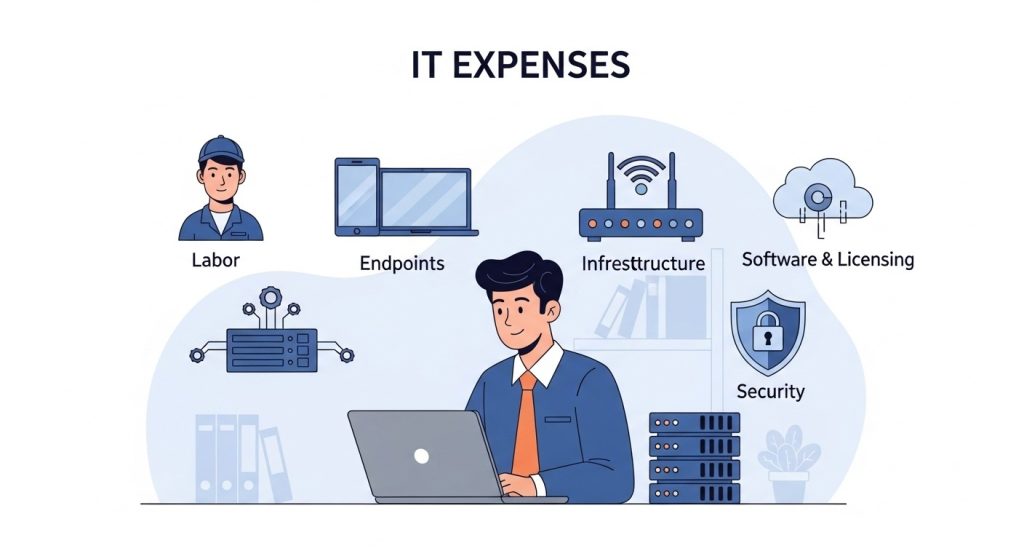
Most small businesses don’t overspend on IT because they “buy too much.” They overspend because costs are scattered across vendors, surprise incidents, and unclear service boundaries. A clean breakdown helps you compare options and budget with confidence—whether you’re hiring in-house help, using an MSP, or mixing both.
If you want a deeper benchmark on typical ranges and what drives pricing, this cost of it support for small businesses guide pairs well with the breakdown below.
The 5 Main Buckets That Make Up IT Support Costs
1) Labor: In-House, Outsourced, or Hybrid
Labor is usually the largest line item.
In-house IT often includes:
- Salary, payroll tax, benefits
- Training and certifications
- Coverage gaps (vacations, sick days, after-hours)
Outsourced IT / MSP often includes:
- Monthly retainer (flat fee or per-user/per-device)
- Help desk + remote support
- Onsite support terms (included or billed separately)
Hybrid usually looks like:
- 1 internal “IT owner” + MSP for help desk and security
Cost driver: how much coverage you need (business hours vs 24/7).
2) Devices and Endpoints: PCs, Laptops, and Mobile
Even if you “support” devices internally, you still pay to maintain them.
Common endpoint costs:
- Device setup and imaging
- Patch management and monitoring tools
- Endpoint protection (EDR/AV)
- Warranty and break/fix
- Replacement cycle (often 3–5 years)
Cost driver: number of devices and how standardized they are.
3) Network and Infrastructure: Wi-Fi, Firewalls, Servers
This bucket creates the most surprise costs when it’s neglected.
Typical items:
- Business-grade firewall/router + support licensing
- Managed switches and access points
- Backup internet/failover (optional but valuable)
- On-prem servers or network storage (if used)
- UPS/power protection for network gear
Cost driver: complexity (single site vs multiple sites, remote work, compliance).
4) Software, Cloud, and Licensing
Licenses can quietly grow faster than you expect.
Common software costs:
- Microsoft 365 or Google Workspace
- Backup software or cloud backup services
- Security tooling (email filtering, MFA, endpoint tools)
- Line-of-business apps (accounting, CRM, ERP)
- Remote access tools and support platforms
Cost driver: user count + feature tier creep (buying advanced tiers without using them).
5) Security and Risk: The “Hidden” IT Support Cost
Security is either a planned cost or an emergency cost.
Security-related spend often includes:
- MFA rollout and enforcement
- Email security and phishing protection
- Vulnerability scanning and remediation
- Security monitoring (MDR/SOC or “light” monitoring)
- Incident response support
Cost driver: risk level (industry, data sensitivity, remote access, vendor requirements).
Pricing Models You’ll See (And What They Usually Include)
Break/Fix (Hourly)
You pay when something breaks.
Pros: simple, low monthly spend
Cons: unpredictable costs, reactive support, poor security coverage
Best for: very small teams with low uptime dependency.
Retainer / Managed Services (Flat Monthly)
You pay a steady monthly fee.
Often includes:
- Help desk + remote support
- Monitoring and patching
- Basic security layers
- Reporting and planning (varies)
Best for: businesses that need predictable costs and faster response.
Per User / Per Device
A common MSP structure.
Per user fits modern work (laptops + phone + cloud apps).
Per device fits environments with many shared workstations.
Best for: companies that want scaling costs tied to headcount or device count.
What Makes Costs Go Up Fast
- Multiple locations without consistent network standards
- No hardware lifecycle plan (everything breaks at once)
- Too many vendors and “shadow IT” tools
- Old servers or unsupported software
- Weak documentation (every issue takes longer to fix)
- High after-hours demand without a defined support plan
How to Budget Smarter Without Cutting the Wrong Things
Ask These 6 Questions Before You Compare Quotes
- Is support business-hours only or 24/7?
- Are onsite visits included or billed separately?
- What security is included (MFA, email protection, monitoring)?
- Are backups and restore testing part of the plan?
- What’s excluded (projects, migrations, new office setups)?
- How does pricing change as we grow?
A Practical Rule for “Good Spending”
Spend where it prevents downtime:
- Security basics (MFA + email filtering + endpoint protection)
- Monitoring and patching
- Reliable backups with a restore test
- Business-grade firewall/Wi-Fi
Cut waste by reducing tool sprawl and outdated systems—not by skipping protection.
Conclusion
IT support costs become manageable when you separate them into clear buckets: labor, endpoints, infrastructure, licensing, and security. The “right” budget depends on uptime needs, risk, and complexity—but the best plans avoid surprise costs by standardizing systems, defining coverage, and investing in prevention instead of emergencies.